The key questions to ask before hiring a Shopify developer are: can I see live stores you built, what exactly does the price include, how will you access my store, who owns the finished work, can I edit it myself, and what support comes after launch? Good answers are specific and in writing. Vague answers are a warning sign.
Key takeaways
- You don't need to understand code to hire well. You need to ask plain questions and listen for specific answers.
- The most important questions are about scope, ownership and access, not technology.
- Send a short brief first, so every developer quotes for the same job and you can compare them fairly.
- A good developer is happy to put answers in writing. Pressure, vagueness or "trust me" are red flags.
- Ask every candidate the same questions, then compare the answers side by side.
What should you send a developer before asking anything?
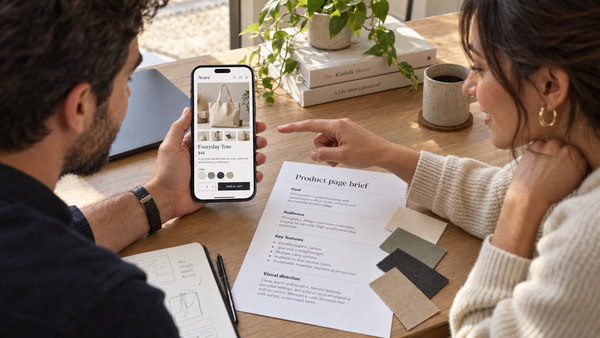
Send a short brief first. Without one, each developer quotes for a different job, and you can't compare them. Shopify's own hiring guide recommends defining your budget, timeline and expected outcomes in detail so a partner can give you an accurate quote.
Your brief only needs to cover:
- What you sell and roughly how many products, with how many options (sizes, colors).
- Where you are now: no store, a DIY Shopify store, or a store on another platform.
- Two or three stores you like and what you like about them.
- Must-haves: subscriptions, selling in several countries, wholesale prices, bundles.
- Who supplies content: photos, product descriptions, logo.
- Your budget range and launch date.
Then ask the questions below. Each one has a short note on why it matters, what a good answer sounds like, and what should worry you.
Questions about experience
1. Can you show me three live Shopify stores you built, and what did you do on each?
Why it matters: screenshots and design mockups can come from anywhere. Live stores show real work, and asking what they did tells you whether they built the store or just changed a banner.
Good answer: links to stores that are still trading, with a clear account of their role, like "full build, 40 products, migrated from Wix."
Red flag: only images, stores that no longer exist, or "I can't share client work" for every single project.
Open each store on your phone. Tap through a product page, add something to the cart, and see how quickly pages load.
2. Have you built stores like mine?
Why it matters: a supplement store, a jewelry brand and a coffee subscription all need different things, from ingredient details to subscription apps.
Good answer: examples in your niche or of a similar size, or an honest "not in your niche, but here's a similar setup."
Red flag: "I can build anything" with no examples that resemble your store.
Questions about scope and price
3. What exactly is included in the price?
Why it matters: two quotes of the same amount can cover very different work. This is where most budget problems start.
Good answer: a written list covering the number of pages and products they'll set up, number of design revisions, which apps, whether they load your products and write copy, shipping and tax setup, and testing.
Red flag: one price with no breakdown, or "we'll figure it out as we go."
For a sense of what different scopes usually cost, see how much to pay someone to build a Shopify store.
4. What happens if I want changes during the project?
Why it matters: you will change your mind about something. Everyone does. You need to know what that costs before it happens.
Good answer: "Small tweaks are included in your revision rounds. Anything new, we quote separately and you approve it before we start."
Red flag: no clear process, or extra work billed later without your approval.
5. How and when do I pay?
Why it matters: payment terms protect you if the project stalls.
Good answer: a deposit, then payments tied to clear milestones, such as design approved and store ready to launch.
Red flag: the full fee up front for a full build, or pressure to pay before you've seen anything.
Questions about access and ownership
6. How will you access my store?
Why it matters: sharing your password gives someone full control of your business, including payouts.
Good answer: "Send me your collaborator request code and I'll request access." Shopify's collaborator accounts let you choose what a developer can see and change, and remove their access whenever you like.
Red flag: asking for your login and password.
Our guide to choosing a Shopify agency or freelancer walks through these protection steps in more detail.
7. Who will own the store, theme and accounts when you're done?
Why it matters: if a developer opens accounts or buys a theme in their own name, you may not fully control your store.
Good answer: "Everything is in your name. If you choose a paid theme, you buy it in your own store." A paid theme from the Theme Store is licensed to the store it was bought for, and an unlicensed copy can cause problems, as Shopify's theme licensing guide explains.
Red flag: offering a premium theme "for free," or keeping app and theme accounts under their name.
Questions about how they'll build it
8. Will I be able to edit the store myself afterwards?
Why it matters: if you can't change a banner, add a product or update a page without paying someone, every small edit becomes a cost and a delay.
Good answer: "Yes. We build with sections you can edit in Shopify's theme editor, and we'll show you how." Ask for a short handover video or guide.
Red flag: heavy custom code for things you'll want to change often, with no handover.
9. Which apps will you add, and what will they cost each month?
Why it matters: apps often charge monthly, and the total adds up fast. Too many apps can also slow your store down.
Good answer: a list of apps, what each one does, and its monthly cost, plus a reason for each one.
Red flag: "We'll add whatever's needed," with no list and no costs.
10. Will you work on a copy of my theme or on the live store?
Why it matters: editing your live theme means customers can see half-finished work or broken pages.
Good answer: "We'll work on a duplicate and publish it when you approve." Shopify lets you duplicate a theme and work on the copy without touching your live store.
Red flag: editing the live store with no backup.
11. Is there anything I want that my Shopify plan can't do?
Why it matters: some features depend on your plan. For example, Shopify's checkout customization guide shows that apps that change the information, shipping and payment steps of checkout are only available on Shopify Plus.
Good answer: a clear "yes, that's possible on your plan" or "no, but here's what we can do instead."
Red flag: promising anything you ask for without mentioning limits.
Questions about launch and support
12. How will you test the store, and what support do I get after launch?
Why it matters: most problems show up in the first weeks, on real phones with real orders.
Good answer: they test on mobile and desktop, place a real test order, check shipping and taxes, and include a support period after launch, with clear prices for help after that.
Red flag: "Once it's live, it's done," or no idea what support costs later.
If you need design as well as development, see our step-by-step guide on how to hire a Shopify designer.
Copy-and-paste email: questions to ask before hiring a Shopify developer
Paste this into your first message to each developer, under your brief:
Before we go further, could you answer these in writing?
- Can you share links to three live Shopify stores you built, and what you did on each?
- Have you built stores like mine?
- What exactly is included in your price?
- How do you handle changes during the project?
- How and when do I pay?
- How will you access my store?
- Will the store, theme and all accounts be in my name?
- Will I be able to edit the store myself afterwards?
- Which apps will you add, and what will they cost each month?
- Will you work on a copy of my theme or on the live store?
- Is there anything I want that my Shopify plan can't do?
- How will you test the store, and what support do I get after launch?
How someone replies tells you a lot. Clear, complete answers usually mean a clear, organized project.
How do you compare the answers?
Put the answers side by side and check:
- Same scope? Make sure each quote covers the same work before you compare prices.
- Total cost: build fee, plus monthly app costs, plus any theme, plus support after launch.
- Specific or vague? Prefer the developer whose answers you could hold them to.
- Honest about limits? A developer who tells you what they can't do is usually more reliable than one who promises everything.
If you're in the UK, Australia or the EU: ask which currency you'll be billed in and whether VAT or GST is included, so you're comparing like with like.
Do it yourself or have it done for you
Do it yourself: if your store is simple, you may not need a developer at all. Start a free trial, use a free theme, and hire someone later only for the parts you get stuck on. Not sure? Read is it worth paying someone to build a Shopify store first.
Have it done for you: our team has built 900+ Shopify stores, and we're happy to answer every question on this list in writing. Our packages list what's included up front, and every one is built on our own custom premium theme, so there's no separate theme to buy. Still deciding? Book a $50 video consultation and bring your questions.
Frequently asked questions
Do I need technical knowledge to hire a Shopify developer?
No. The most important questions are about scope, price, ownership, access and support, which you can judge without knowing any code. Ask every developer the same plain questions, ask for answers in writing, and compare them side by side. If an answer is full of jargon, ask them to explain it simply. A good developer can.
Should I give a Shopify developer my password?
No. Share your collaborator request code from your Shopify admin instead. The developer uses it to request access, you choose which parts of the store they can see and change, and you can remove their access at any time. Anyone who insists on your login and password is a red flag.
Should I get a written contract with a Shopify developer?
Yes, at least a written agreement covering scope, price, payment milestones, timeline, ownership and support. For a small job, a detailed email that both of you confirm may be enough. For larger projects, a proper contract is worth having, and you may want a lawyer to review it. We can't give legal advice.
How many developers should I talk to?
Two or three is usually enough. Send each the same brief and the same questions, so their quotes cover the same job. Talking to only one gives you nothing to compare against, while talking to many takes time you could spend on your product. Shortlist based on live stores, then compare written answers.
What's the biggest red flag when hiring a Shopify developer?
Asking for full payment up front together with your Shopify password. Either one is a warning on its own. Other red flags are refusing to share live stores they built, a single price with no list of what's included, and offering a paid theme for free. Walk away or ask for changes before you commit.
Write your brief today, send it with these twelve questions to two or three developers, and choose the one whose answers you could hold them to.